

How can AI systems efficiently manage concurrent video, speech, LLM, and assessment workloads across shared cloud infrastructure while maintaining predictable latency, scalability, and reliability?
A Presear use-case for 100+ concurrent video AI interviews with 16 personality test
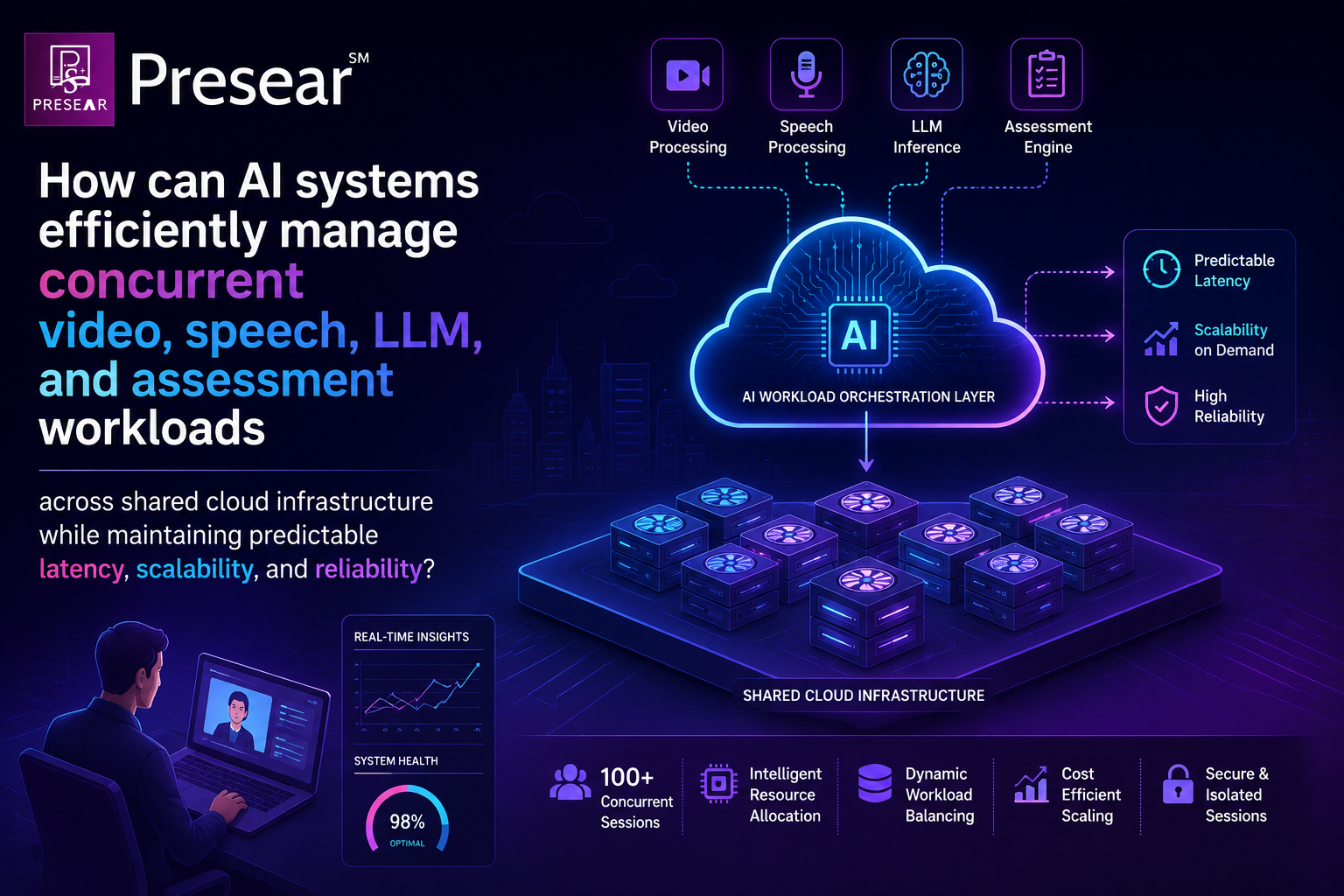
AI applications are rapidly evolving from single-model systems into complex, multimodal platforms. A single user interaction can now involve video processing, speech recognition, large language models, contextual reasoning, and analytical engines—all operating simultaneously.
For platforms such as Presear, where multiple AI interviews can run concurrently, this creates a fundamental architectural challenge: how do we make different AI workloads coexist efficiently on shared cloud infrastructure without compromising performance or reliability?
The answer requires thinking beyond model deployment and designing an architecture around workload orchestration.
1. Start With the Workload, Not the Infrastructure
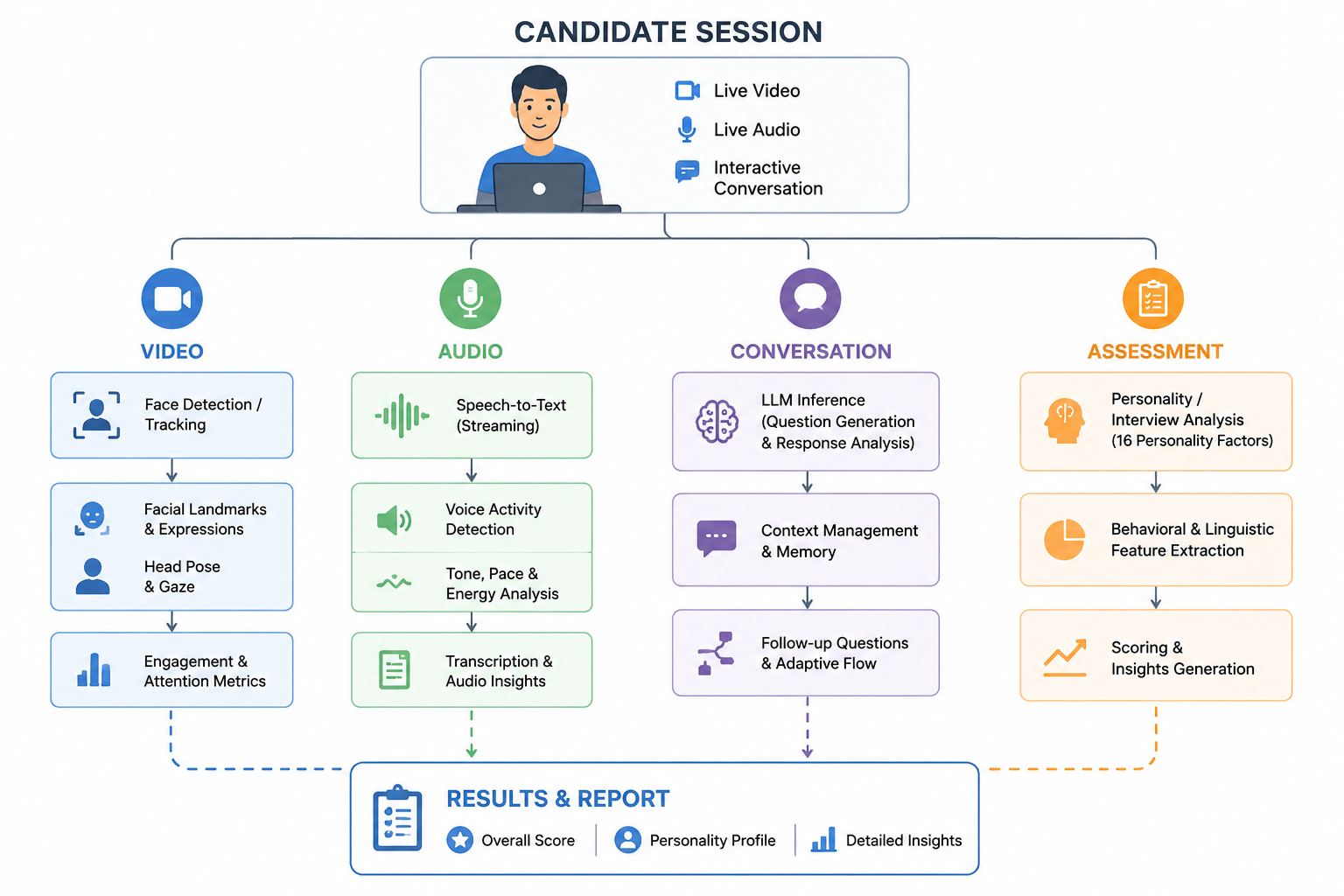
The first step is to understand that a single AI session is actually a collection of independent but interconnected workloads.
An interview session, for example, can involve:
Real-time video and face analysis
Audio streaming and speech-to-text
LLM-based conversation and response generation
Personality and behavioural assessment
Context and session management
Each workload has different computational characteristics and latency requirements.
Video processing is continuous. Speech processing is streaming. LLM inference is often burst-driven. Assessment workloads may be periodic or asynchronous.
Treating all of them as the same workload creates unnecessary resource contention.
2. Define the Session as the Fundamental Unit
Instead of managing every AI request independently, the architecture should establish a session as the logical boundary.
A session maintains the candidate's context, conversation state, processing state, and assessment information while individual AI services operate independently underneath it.
This separation is important because the underlying compute resources can scale, move, or fail without necessarily affecting the user's session.
The architecture therefore becomes:
Candidate Session → AI Workloads → Shared Compute → Results
rather than tightly coupling a session to a particular server or GPU.
3. Introduce an AI Workload Orchestration Layer
The next architectural layer is an AI Workload Orchestrator.
Its role is to sit between the application and the underlying compute infrastructure and decide how workloads should be executed.
The orchestrator can manage:
Workload scheduling
Priority management
Resource allocation
Model placement
SLA enforcement
Queue management
Scaling decisions
This creates an abstraction between what the application needs and where and how the AI workload actually runs. Instead of applications directly managing GPUs, the orchestrator manages a shared pool of compute resources.
4. Separate Workloads by Their Latency Requirements
One of the most important architectural decisions is to classify workloads according to their real-time requirements.
Real-time workloads
These directly affect the user experience:
Face detection
Speech recognition
Interactive LLM responses
Live conversation processing
Asynchronous workloads
These can be processed independently:
Detailed behavioural analysis
Personality scoring
Historical analytics
Report generation
This separation allows the architecture to protect real-time workloads from background processing. For example, a large assessment process should not consume resources required to keep an active interview responsive.
5. Make Resource Allocation AI-Aware
Traditional cloud infrastructure generally thinks in terms of:
CPU → Memory → Network → Instances
AI workloads require additional dimensions.
The platform needs to understand:
Model size
GPU memory requirements
Context length
Token consumption
Inference duration
Batchability
Streaming requirements
Latency targets
The orchestrator can then make resource decisions based on the characteristics of the AI workload, rather than simply the number of requests. This is particularly important when multiple models share the same GPU infrastructure.
6. Manage LLM Context and Tokens
LLM workloads introduce another architectural consideration: context management.
During a long-running conversation, the system continuously accumulates:
Previous questions
Candidate responses
System instructions
Retrieved information
Tool outputs
Assessment context
Sending all available information to the model on every interaction can increase latency, memory consumption, and cost.
A robust architecture therefore needs a context management layer capable of deciding what information should remain active, what can be summarised, and what can be retrieved when required. This makes token management part of the broader infrastructure architecture rather than merely an API-level concern.
7. Optimize GPU Utilisation
GPUs are among the most expensive resources in an AI cloud environment.
Simply allocating dedicated GPUs to every AI component can result in significant underutilisation.
On the other hand, excessive sharing can create resource contention and unpredictable latency.
The architecture therefore needs to balance:
GPU utilisation + workload isolation + latency + cost
This can involve intelligent model placement, workload batching, GPU partitioning, scheduling policies, and dynamic resource allocation.
The objective is not simply to use fewer GPUs.
It is to extract the maximum useful AI workload from the available infrastructure while preserving performance guarantees.
The key architectural shift is moving from:
"How do we deploy an AI model?"
to:
"How do we orchestrate multiple AI workloads efficiently across shared infrastructure?"
For a multimodal AI platform, the architecture ultimately looks like:
Candidate Sessions → Session Management → AI Workload Orchestration → Intelligent Scheduling → Shared Compute → AI Model Serving → Assessment & Results
This approach allows the infrastructure to evolve independently of individual AI models and applications.
Ready to see it in action? Book a demo with Presear Softwares to explore how AI Video Interviewer can help your organization.


